 ibrahimthekkumkara.com is loading... Please wait.
ibrahimthekkumkara.com is loading... Please wait.
ibrahimthekkumkara.com is loading... Please wait.

Learning Solution Tool is a web application designed to create and manage training requests for all employees within the organization. The application will primarily be used by learning representatives and the learning operations team. Any kind of learning requirement will be submitted through this tool and routed to the relevant teams for actions such as course creation, course assignment, specialization and community creation, resource planning, and more.
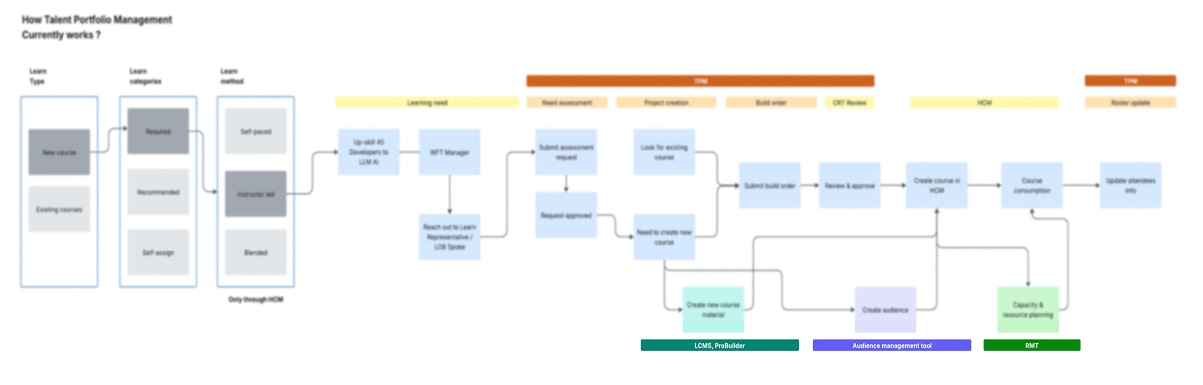
The current process for identifying learning needs, developing and delivering learning solutions, and ensuring proper controls is cumbersome and inefficient. Three workflow management tools, Talent Portfolio Management (TPM), Compliance Education Management Tool (CEMT), and Resource Management Tool (RMT), support all aspects of the learning development and deployment supply chain.
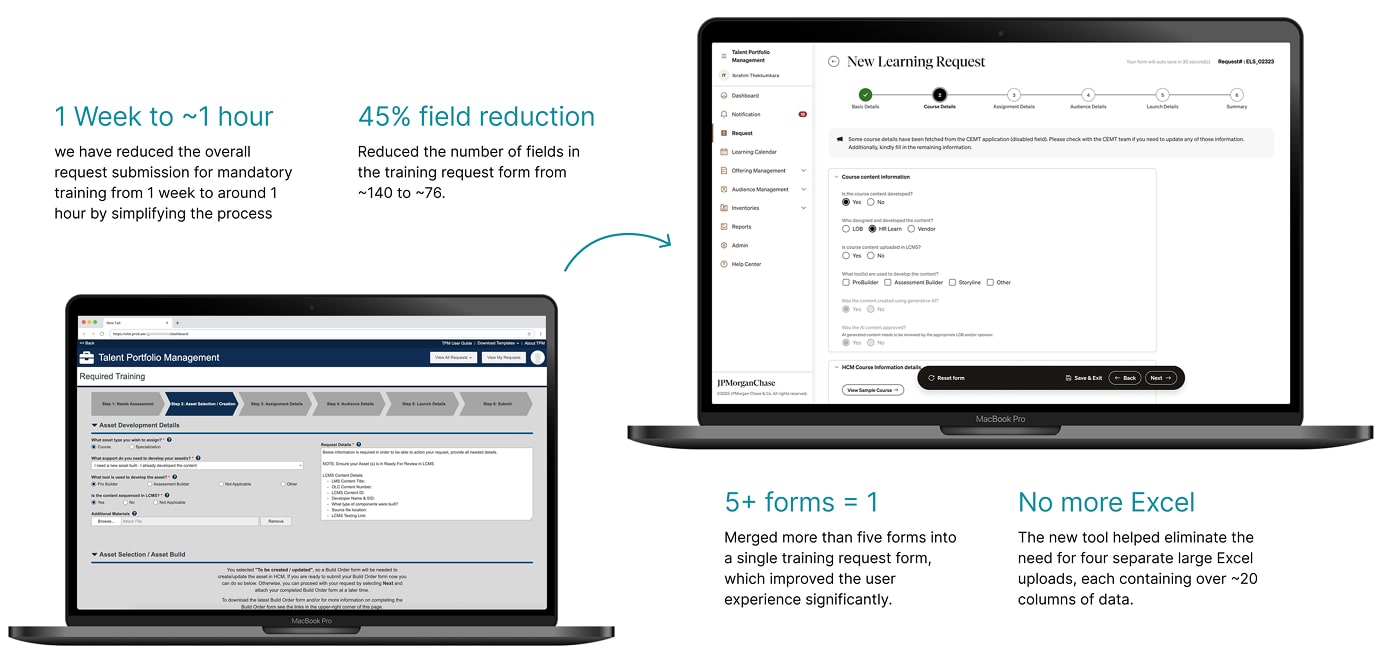
Currently, the process is managed through SharePoint, where users face a poor experience and rely on multiple forms and Excel sheets to fulfill their requirements. This new application aims to streamline and centralize the entire learning management process, significantly improving usability and efficiency.
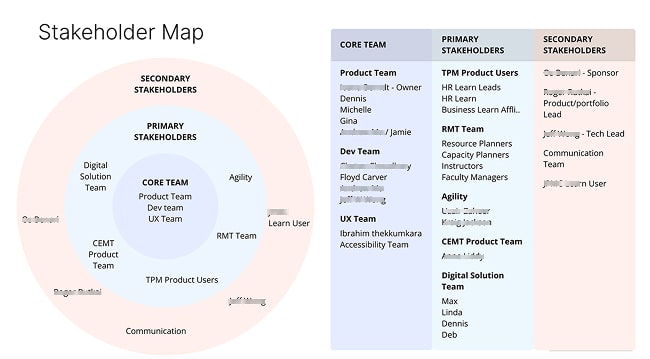
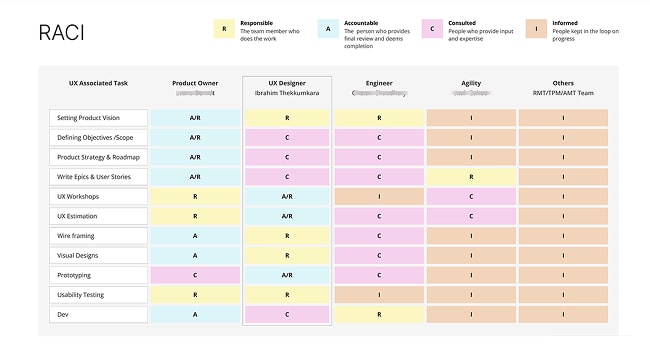
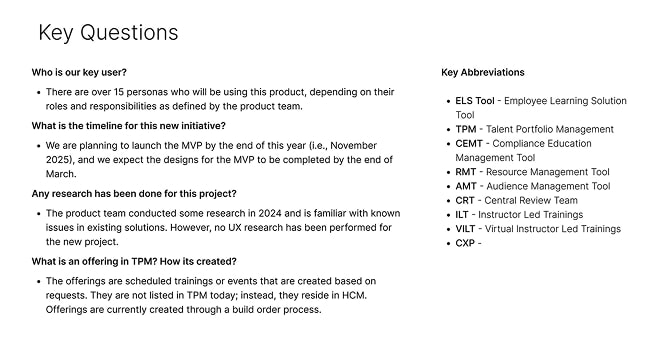
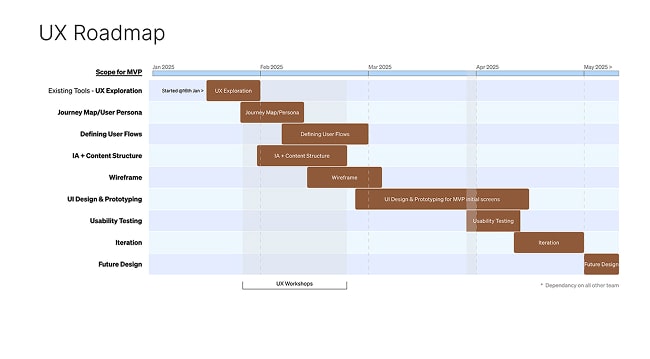
For the Learning Solution Tool project, I led key UX planning activities including stakeholder mapping, RACI matrix creation, and UX roadmap development. These efforts helped align cross-functional teams, clarify responsibilities, and prioritize user-centered design activities—ensuring a smooth and efficient delivery of the solution.
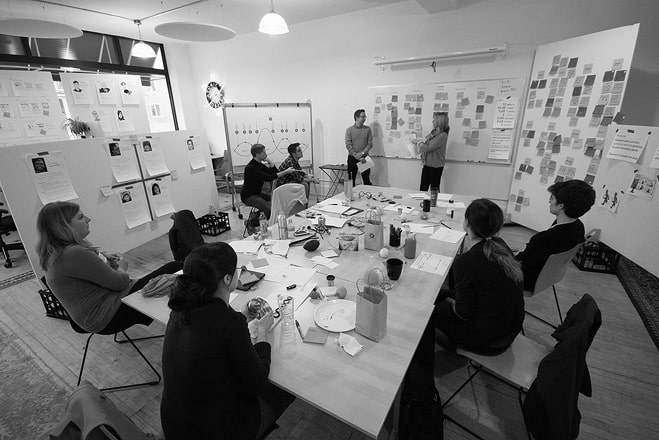
As part of the Learning Solution Tool project, I led and facilitated over 20 hours of structured design workshops with cross-functional stakeholders—including the product team, engineering team, and business representatives. The primary objective of these workshops was to gain a shared understanding of the existing challenges, gather requirements, define user needs, and collaboratively shape the direction of the product.
The workshops I conducted helped all teams thoroughly understand the problem space, align on user journeys, and define key functionality. They also supported the creation of a shared product vision and informed the development of the UX roadmap. As a result, the process of defining future goals became much clearer and more focused, enabling smoother collaboration and more confident decision-making across all teams.
Current Process
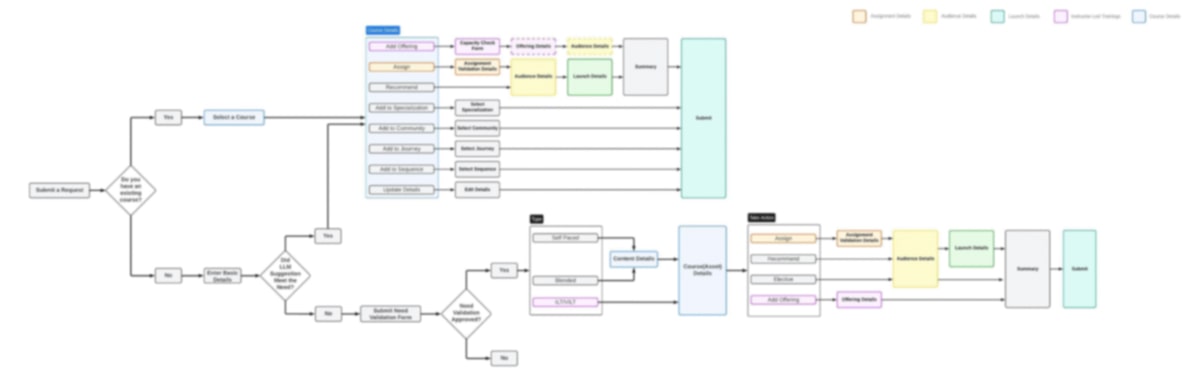
Future Process
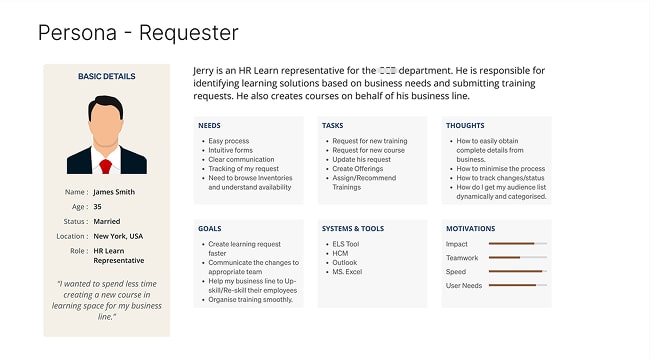
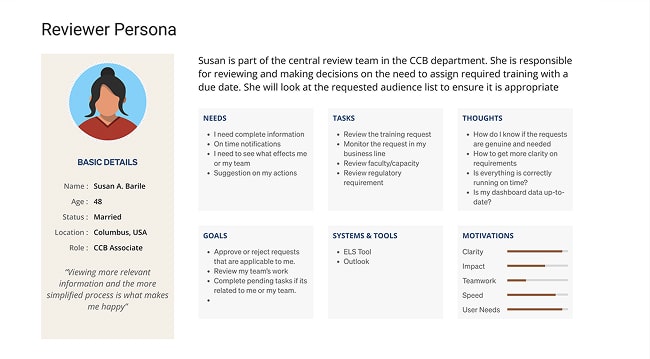
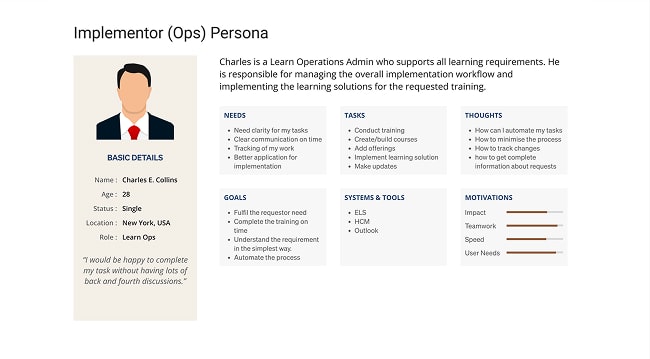
During the design workshops, we identified three key personas for the primary user types of the employee solution tool: Requestor, Reviewer, and Implementer. These personas proved invaluable as they provided a shared, empathy-driven understanding of our target users. By humanizing research findings, they helped guide design decisions that aligned with specific user needs and goals. This approach not only contributed to the success of the product but also improved team alignment. Moreover, it allowed us to justify design choices based on user-centered principles, rather than relying on personal opinions.
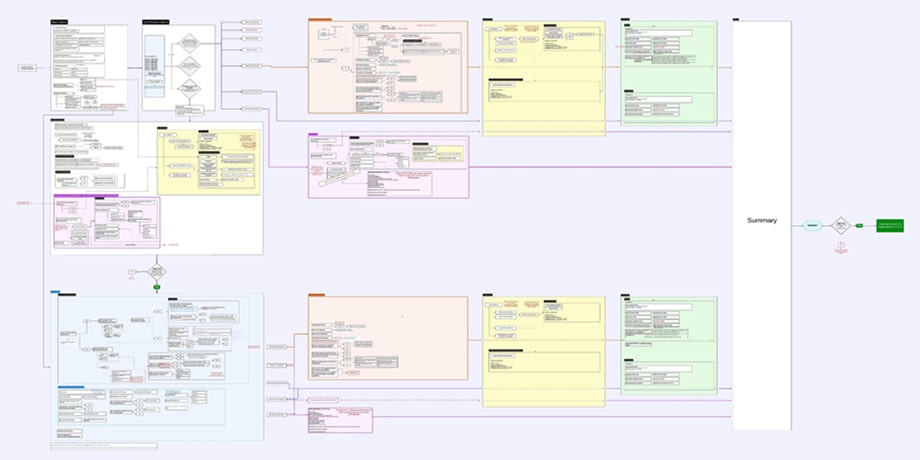
As part of the design workshops, I engaged stakeholders to define the user flows and outline the various processes users will follow within the application. This led to the creation of an information flow that defines the future state of the product, helping both the product and design teams visualize the user journeys. It was also well-received by stakeholders and engineers, as it provided a clear understanding of the product and its functionality.
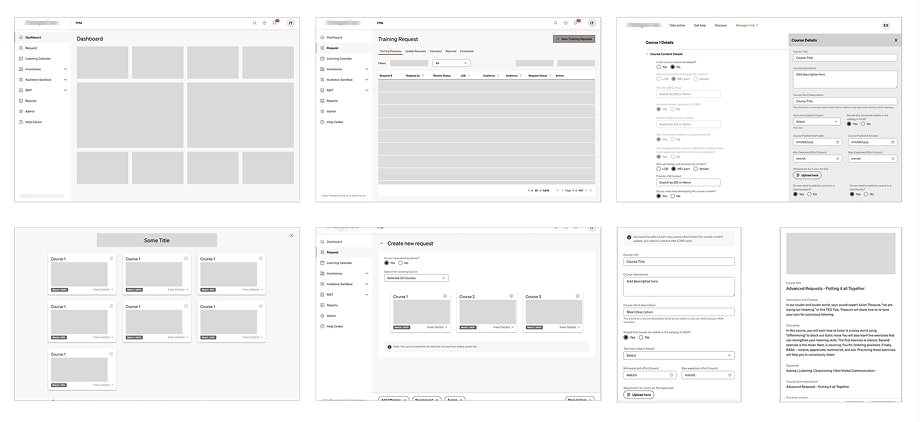
As part of the early design phase for the Learning Solution Tool, I created low-fidelity wireframes to visualize key user flows and interface ideas. These wireframes were presented during design workshops with the product and business teams to gather early feedback, align on requirements, and ensure a shared understanding of the proposed solution. This approach helped accelerate decision-making and reduce rework later in the design process.
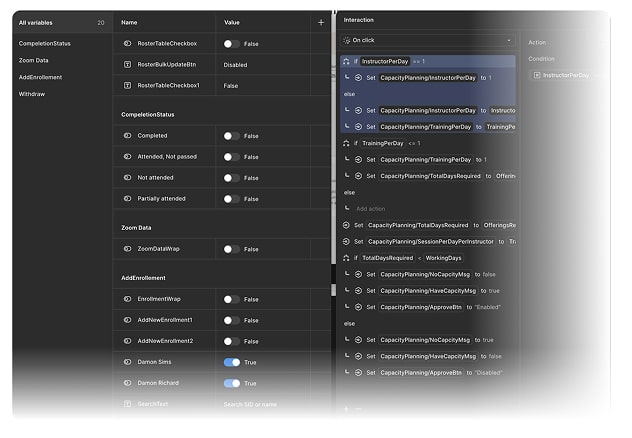
I used Figma variables for prototyping to create dynamic, interactive experiences with less effort, allowing me to control states, change content, and build complex flows that adapt to user input, which drastically reduces the number of frames and interactions needed and simplifies future updates.
Variables made my prototypes more realistic and efficient by acting as data containers for colors, numbers, and text, enabling you to create single-screen prototypes with complex logic instead of many static frames.
We use AI to prevent duplicate course creation. Whenever a user submits a new course requirement—such as course type, delivery method, learning outcome, subject, and proficiency level—the system leverages LLM technology to search our existing database for any matching courses. This approach significantly improves data quality and enhances the searchability of our course inventory.
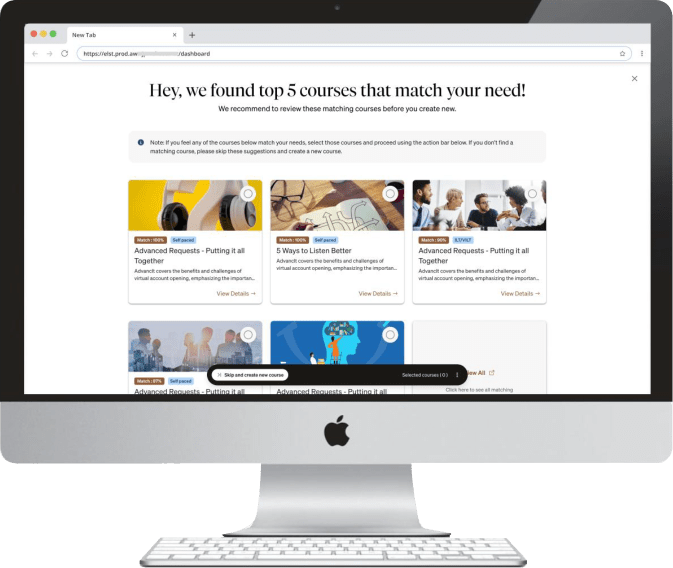
Impact of AI on Employee Learning Solutions:
Overall, integrating AI into our employee learning solution tool leads to smarter course management, improved user experience, and more effective learning outcomes.
I've designed the screens using my organization’s design system (EXDS) with the aim of reducing cognitive load to maximize usability. The interface incorporates simple, elegant, and modern components to organize information efficiently and minimize decision-making time, allowing users to focus on priority content. I also opted for radio buttons instead of dropdowns in places where options are fewer than four, reducing unnecessary clicks.